- Home
- Services
-
DIGITAL MARKETING
 Search Engine Optimization
  Social Media Optimization
- Guest Posting Service
 Brand Reputation Management
 - Apps Marketing
- Facebook Advertising
 PPC Management
  SEO Migration & Consultancy
  Local Business Listing
WEB DEVELOPMENT
- Core PHP Web Development
- E-Commerce Web Development
 Open Source Development
  Content Management System
 - Database Development
 Website Maintenance
 Website Migration
WEB DESIGN
- Custom Website Design
- E-Commerce Web Design
- Flash Designing
- Facebook Page Design
 Re-Designing
  Logo Designing & Branding
 - PSD to HTML Development
Application Development
 Web Application Development
 - iPhone App Development
- Android App Development
- Window App Development
- Facebook App Development
Other Services
 Content Writing Service
  Hire Dedicated Resource
-
- Packages
- About Us
- Contact Us


Custom Browser Extensions
We engineer highly customized Google Chrome extensions that act as a bridge between your team and the web. By injecting custom functionality directly into the browser, we turn tedious, multi-step processes into a single click.
15+
Years Experience500+
Projects Delivered30+
Countries Served99%
Client RetentionRequest a Project Quote
Get a customized technical architecture plan from our experts.
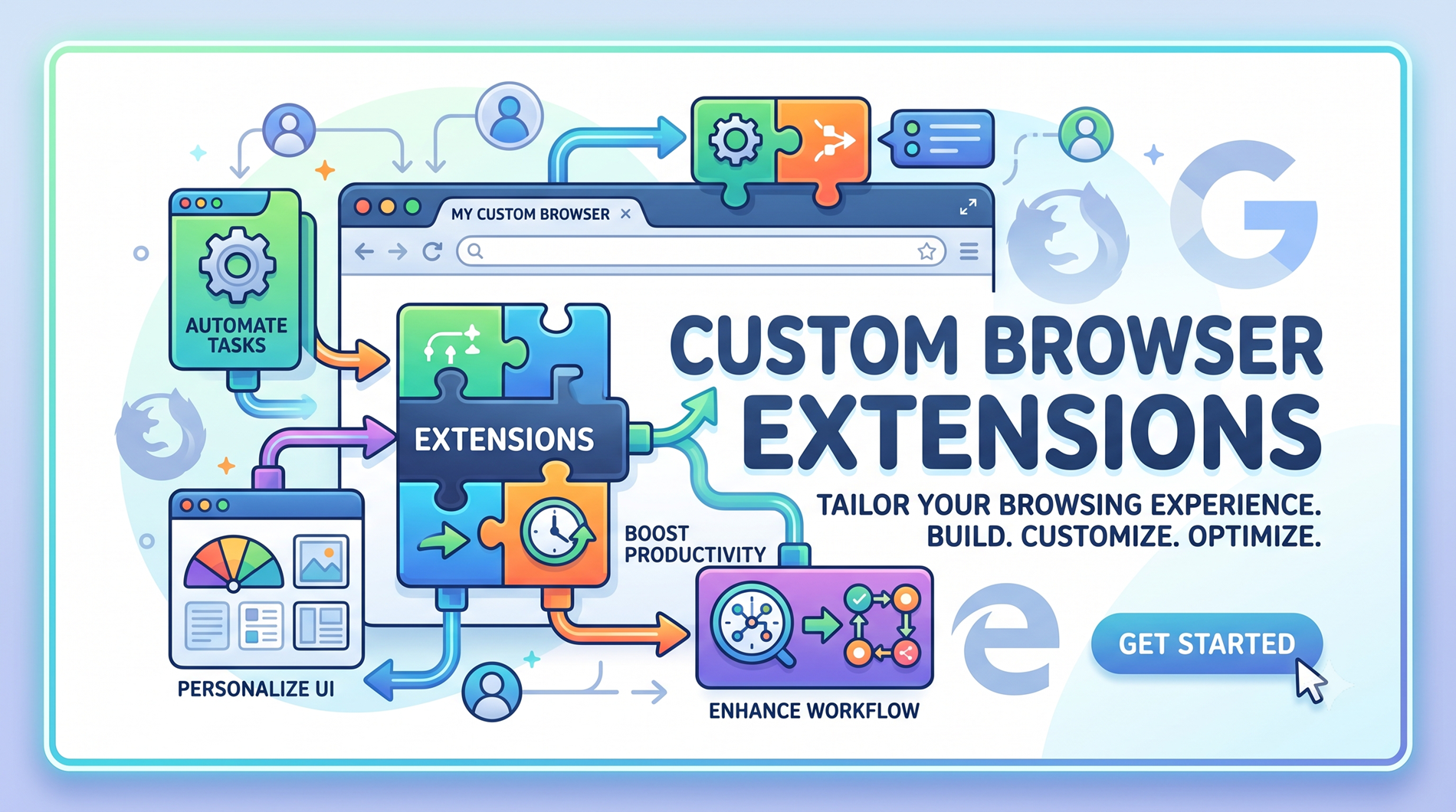
Custom Browser Extensions: Manifest V3 Architecture for Workflow Automation
If your team spends hours every week copying data between tabs, scraping contact details manually, or wrestling with repetitive web-based tasks, you are losing money to friction. Your web browser shouldn’t just be a window to the internet; it should be an active participant in your workflow.
We engineer highly customized Google Chrome extensions that act as a bridge between your team and the web. By injecting custom functionality directly into the browser, we turn tedious, multi-step processes into a single click.
What Is a Browser Extension, Really?
A browser extension is a small software program that extends the functionality of a web browser. It can add buttons to the toolbar, inject scripts into web pages, intercept and modify network requests, show popups, add side panels, and even build entirely new interfaces on top of existing websites.
What makes extensions uniquely useful compared to a standalone app or script is that they operate inside the browser context. They can see what’s on your screen, interact with the DOM (the structure of the web page you’re viewing), and respond to your actions in real time. They sit right in the middle of where the actual work is happening — not off in a separate window you have to remember to open.
This makes them incredibly powerful for automation: instead of exporting data, switching tools, and pasting it somewhere else, an extension can do the extraction, transformation, and handoff in a single click — or even automatically as you browse.
What Is Manifest V3, and Why Should You Care?
Manifest V3 (often shortened to MV3) is Google’s latest platform for Chrome extensions, and it replaced the older Manifest V2 starting in 2024. If you’re building a new extension today, it must be MV3-compliant — there’s no going back.
The shift isn’t just a technical footnote. It materially changes how extensions work under the hood:
- Service workers replace background pages: Instead of a persistent background script that’s always running (and eating memory), MV3 uses service workers that spin up only when needed. This is dramatically more efficient.
- Stronger security model: MV3 restricts remotely hosted code and tightens permission scopes. Extensions can no longer quietly execute arbitrary code from external servers, which closed a major security loophole.
- Declarative net requests: Instead of intercepting every network request with JavaScript (which was slow and could be abused), MV3 uses a declarative approach — the extension declares rules upfront, and the browser enforces them efficiently at the native level.
- Better performance and battery life: Because service workers are event-driven and short-lived, extensions are far lighter on system resources. Your laptop fan will thank you.
What this means for you: Any extension built on MV2 is now effectively end-of-life. If your team is still using an old internal extension, it needs migrating. And any new extension you commission should be built on MV3 from the ground up — not retrofitted later.
The Core Components of a Chrome Extension
Understanding the anatomy of an extension helps demystify what’s happening when you click that little toolbar icon.
1. Manifest File (manifest.json) This is the blueprint. It declares the extension’s name, version, permissions, icons, and which components it uses. In MV3, it also declares the service worker and any host permissions. Everything starts here.
2. Service Worker The background brain. It listens for events — a tab opening, a bookmark being created, a network request being made — and runs logic in response. In MV3, it’s event-driven and doesn’t persist in memory when idle, which is what makes MV3 extensions so much more efficient.
3. Content Scripts These are scripts that get injected into actual web pages. They can read and modify the page’s HTML and CSS. This is how an extension can, say, highlight certain data on a competitor’s pricing page or auto-fill a form on your CRM.
4. Popup UI That little window that appears when you click the extension’s icon. It’s a mini web page (HTML/CSS/JS) where users interact with the extension directly — choosing options, triggering actions, or viewing results.
5. Side Panel (newer feature) MV3 introduced persistent side panels — a dedicated UI that stays open alongside the main browser content. This is fantastic for tools like dashboards, AI assistants, or data extraction panels that need to remain visible while you browse.
6. Options Page A settings screen where users configure the extension’s behavior — API keys, preferences, toggle features on and off.
7. Declarative Net Request Rules For extensions that need to modify network behavior (blocking, redirecting, modifying headers), these rules are declared upfront and enforced natively by the browser for speed.
What Custom Extensions Can Actually Automate
This is where it gets genuinely exciting. Here are real things teams are doing with custom Chrome extensions right now:
- Auto-filling forms: Pulling data from your CRM or spreadsheet and populating it into third-party web forms that don’t offer an API.
- Scraping and extracting data: Pulling structured data from websites (competitor pricing, listing details, search results) and sending it straight into your database or Google Sheet.
- One-click workflows: A single button that grabs information from the current page and creates a task in Jira, sends a Slack message, or logs an entry in your internal tool.
- Page modification and enhancement: Adding custom buttons, annotations, or data overlays on top of third-party web apps your team uses daily.
- Automated screenshot and report generation: Capturing the current page, annotating it, and attaching it to a ticket — all in one click.
- Batch operations: Performing the same action across multiple tabs — closing old ones, applying a setting, triggering a process.
- AI-assisted browsing: Injecting an AI assistant into the page that can read the content, summarize it, answer questions, or draft responses based on what’s on screen.
- Compliance and monitoring: Logging browser activity, flagging certain pages, or blocking access to specific resources based on your organization’s policies.
The unifying thread: if a human is doing the same browser-based sequence more than a few times a week, an extension can almost certainly do it faster and more reliably.
Key Benefits of Building a Custom Extension
Time saved on repetitive tasks. This is the big one. An action that takes a person two minutes — repeated fifty times a day across a team — is nearly two hours of labor. An extension does it in seconds.
Fewer errors. Humans copy-paste wrong values, skip steps, and forget to log things. Extensions don’t have bad days. They execute the same workflow identically every time.
No context switching. Instead of bouncing between six tabs and two desktop apps, the extension brings the workflow to where the user already is — the browser. Less friction, more focus.
Deep integration with existing web tools. Extensions can interact with web pages in ways that standalone apps simply cannot. They can read the DOM, intercept events, and modify behavior on sites you don’t control.
Lightweight and fast. Compared to a full desktop application, an extension is tiny. It installs in seconds, updates silently, and uses minimal resources — especially under MV3.
Internal-only distribution. You don’t have to publish to the Chrome Web Store. Extensions can be deployed privately to your team via enterprise policies, meaning internal tools stay internal.
Custom to your exact workflow. Off-the-shelf tools solve generic problems. A custom extension is built around your specific process — your systems, your data, your logic. Nothing more, nothing less.
Real-World Use Cases Across Industries
Extensions aren’t limited to one type of business. Here’s where they shine:
- Sales & marketing: Scraping lead data from LinkedIn or directory sites, enriching it, and pushing it into your CRM automatically.
- Recruitment: Auto-extracting candidate profiles from job boards and logging them into an applicant tracking system.
- Operations & logistics: Pulling shipment tracking data from carrier websites and updating internal dashboards in one click.
- Finance & accounting: Automating invoice data extraction from vendor portals and feeding it into your accounting software.
- Customer support: Adding quick-action buttons inside Zendesk, Freshdesk, or helpdesk web interfaces to slash handle time.
- QA & testing: Custom extensions that fill forms with test data, capture screenshots of bugs, and auto-create tickets with all the context attached.
- Research & analysis: Highlighting and clipping content from multiple sources, organizing it, and exporting structured notes.
- Education & training: Building reading aids, annotation tools, or automated quiz checkers directly into learning platforms.
Browser Extensions vs. Other Automation Approaches
People often wonder why they’d build an extension when other automation options exist. Here’s an honest comparison.
| Approach | Best For | Limitation |
|---|---|---|
| Chrome Extension | Browser-based workflows, DOM interaction, page-level automation | Only works inside the browser; can’t control desktop apps |
| RPA (Robotic Process Automation) | Desktop automation, legacy systems, cross-app workflows | Heavy, expensive, slower, often overkill for browser tasks |
| API Integration (Zapier, n8n, etc.) | Moving data between SaaS tools with APIs | Can’t interact with sites that lack APIs; no on-page actions |
| Desktop Scripting (Selenium, Puppeteer) | Headless automation, batch scraping, CI pipelines | Requires a separate runtime; not user-facing; heavier setup |
| Custom Extension | ✅ User-facing, in-browser, real-time, interactive automation | Requires browser context to operate |
The pattern: if your workflow happens inside the browser and needs a human in the loop (or at least nearby), a custom extension is almost always the most efficient and elegant solution.
Important Considerations Before You Build
Before jumping into development, a few things are worth thinking through carefully.
Permissions and trust. Extensions can be powerful, which means they can also be risky. MV3’s tighter permission model helps, but you still need to be thoughtful about what access an extension actually needs — and to request only that. Users (and IT teams) are rightly cautious.
Chrome Web Store vs. private deployment. If the extension is for public use, it needs to go through the Chrome Web Store review process. If it’s internal, you can deploy it privately via enterprise policy — no review required, no public visibility.
Security and data handling. Where does the data go? Is it stored locally or sent to a server? Is it encrypted in transit? These questions matter — especially for extensions handling sensitive business data.
Cross-browser compatibility. Chrome, Edge, and Brave all support MV3. Firefox has its own extension model with partial compatibility. Safari supports extensions through a different packaging mechanism. If you need cross-browser support, plan for it early.
Maintenance. Browsers evolve. APIs change. Google deprecates features (as MV2’s sunset showed). Your extension needs a maintainer, or it will quietly break one day.
The Build Process: How a Custom Extension Comes to Life
A well-executed extension project follows a clear path.
Discovery and scoping:
Understanding the exact workflow you want to automate. What pages are involved? What data moves where? What triggers the action? This is the most important phase — skip it and you’ll build the wrong thing.
Architecture and permissions design:
Deciding which MV3 components are needed (service worker, content scripts, side panel), and critically, which permissions to request. Minimal permissions = smoother review and more user trust.
Development:
Writing the actual code — manifest, service worker, content scripts, UI. Testing across the target sites and edge cases.
Integration with external systems:
Connecting the extension to your APIs, databases, or third-party services so it can push and pull real data.
Testing and QA:
Verifying behavior across browsers, screen sizes, and edge cases. Making sure the extension doesn’t break the pages it interacts with.
Deployment:
Either publishing to the Chrome Web Store or configuring private enterprise distribution for your team.
Ongoing maintenance and updates:
Monitoring for breakage when target sites change, updating for new browser API versions, and adding features as workflows evolve.
Why Choose Technologus
Choosing the right team to build your custom browser extension is half the battle. Here's what sets Technologus apart — and why it matters when your workflow depends on a tool that actually fits.
Manifest V3 Expertise, From Day One
The transition from MV2 to MV3 wasn't a minor version bump — it fundamentally changed how extensions are architected. Service workers, declarative net requests, tightened security scopes, and new permission models all require a different way of thinking. Our engineers build exclusively on MV3 and have already navigated the migration path for clients coming off legacy MV2 extensions. That means no deprecated patterns, no future-breaking workarounds, and no scrambling when Google enforces the next change. Your extension is built right, the first time.
We Build for Your Exact Workflow, Not a Generic Template
We've seen too many "custom" extensions that are really just a template someone tweaked. That's not what we do. We start by sitting down with your team, watching the actual workflow you want to automate, mapping every click and every data point, and then designing the extension around that specific process. The result is a tool that fits like a glove — no unnecessary features bloating it up, no critical steps missing. Your team gets exactly what they need and nothing they don't, which keeps the extension fast, secure, and maintainable.
Deep Integration Capabilities — Not Just Browser Tricks
A chrome extension that only modifies a web page is nice. An extension that talks to your internal APIs, authenticates securely, pushes data to your CRM, pulls from your database, and coordinates with your existing automation stack — that's a business asset. Our strength is building extensions that function as genuine integration tools, not just browser toys. We handle authentication, rate limiting, error handling, and data transformation properly, so the extension becomes a reliable part of your broader technology ecosystem rather than a fragile script held together with hope.
Built to Last — Maintenance and Evolution Built In
Extensions break. The websites they target change their HTML. Google deprecates APIs. New browser features open new possibilities. An extension that works perfectly at launch can quietly rot within months if no one's watching. Technologus stays involved — monitoring for breakage, updating for browser changes, and proactively suggesting improvements as your workflows evolve. We also build robust logging and error reporting into every extension so problems surface early instead of silently failing. You're not just getting a piece of software; you're getting a partner who keeps it working.
Frequently Asked Questions
Manifest V3 is Google's current (and only supported) platform for Chrome extensions. It replaces the older MV2, which has been phased out. If you're building or maintaining any Chrome extension today, it must be MV3-compliant. There's no alternative.
Yes. Edge and Brave both support MV3 extensions natively since they're Chromium-based. Firefox supports a similar model with some differences. Safari extensions use a separate packaging system. If cross-browser support matters to you, we plan for that during scoping.
No. For internal company extensions, you can deploy privately using Chrome Enterprise policies — no public listing, no review process, no visibility outside your organization. This is ideal for proprietary workflow tools.
A focused single-purpose extension can often be built in 2–4 weeks. More complex extensions with deep integrations, side panels, and multi-site interactions can take 6–12 weeks. Timeline depends on the number of target sites, integration complexity, and review requirements.
Under MV3, the security model is significantly stronger than it was — no remotely hosted code, tighter permissions, declarative network handling. That said, security depends heavily on how the extension is built. We follow least-privilege principles, encrypt data in transit, and handle authentication carefully.
Yes — that's one of their core capabilities. Content scripts can read and modify the DOM of web pages the user visits, which makes extensions uniquely powerful for automating tasks on third-party sites that lack APIs. However, if those sites change their layout, the extension may need updating.
This is a real risk. If a target site changes its HTML structure, the extension's content scripts may need updating. We build defensively (targeting stable CSS selectors where possible), include error handling for missing elements, and offer ongoing maintenance to catch and fix these issues quickly.
Absolutely. Extensions can make authenticated API calls, connect to databases via your backend, and integrate with tools like Slack, Jira, Salesforce, or your custom internal services. This is where they transform from browser helpers into genuine business tools.
A well-built MV3 extension shouldn't. The service worker model means the extension's background logic only runs when triggered by events — not constantly. Content scripts are scoped to only the pages where they're needed. Poorly built extensions can cause lag, which is why quality of implementation matters.
Yes. We've handled MV2-to-MV3 migrations for clients with legacy internal tools. The process involves re-architecting background pages into service workers, converting blocking web requests to declarative net requests, and updating permissions. If you have an aging extension, it's worth migrating before it stops working entirely.
Ready to Engineer Your Next Digital Asset?
Partner with an agency that understands complex business logic, robust database architecture, and uncompromised security. Let's build a software solution tailored exclusively for your operations.
Request a Technical Consultation


















Technologus
- B - 31, Sector - 6 NOIDA (INDIA)
- +91-9873469643 / 9212742139
- sales@technologus.com